
Empowering users to follow cryptocurrency's price closely and act in time in a volatile market
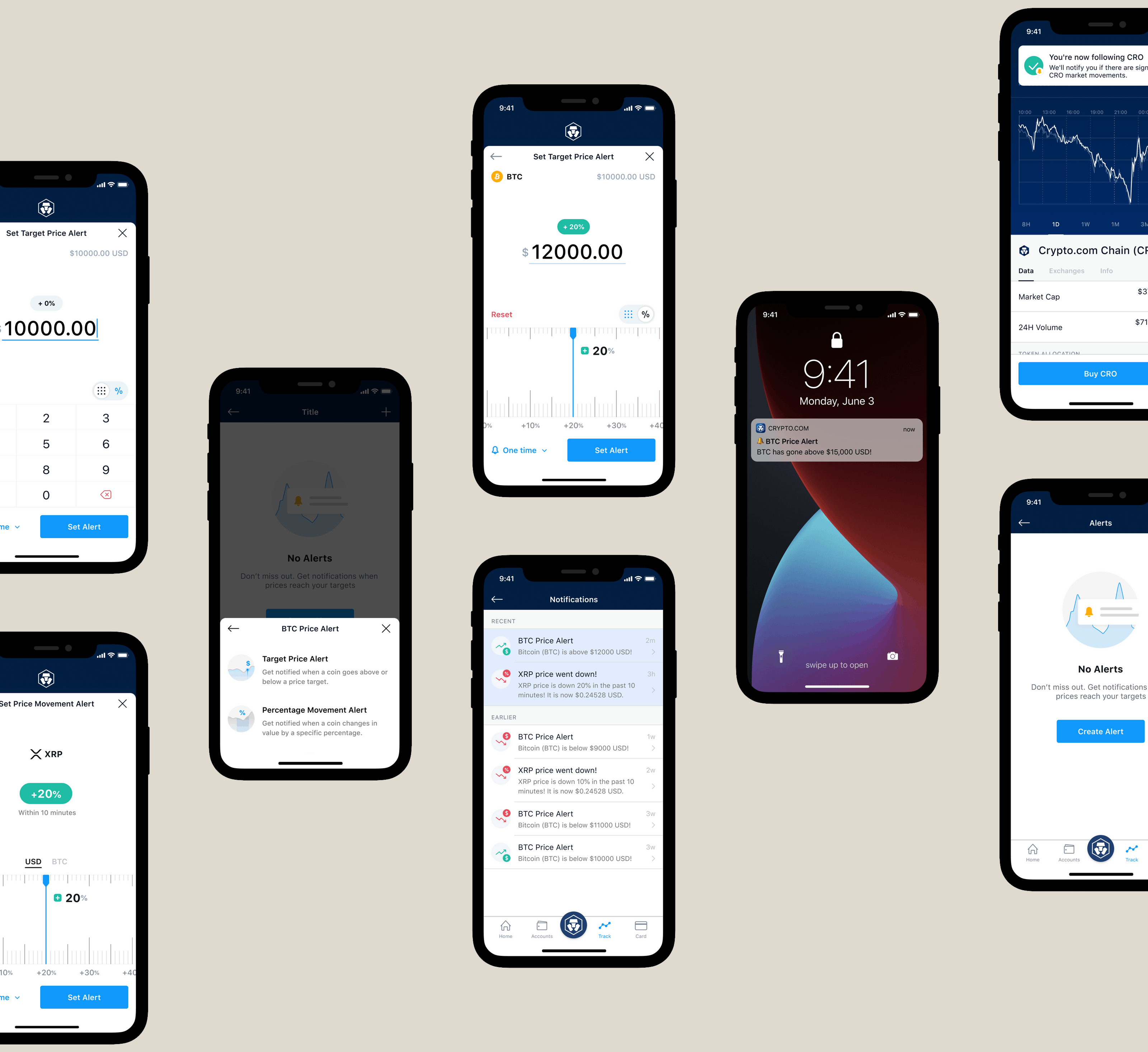
In 2019, Crypto.com App had over one million users and Track Coin was a core feature in the app, the place where users watched the market and decided when to trade. The team wanted to improve how Track Coin helped users act on price movements, with the goal of driving engagement and trading activity.
The team conducted a focus group to better understand how users use Track Coin and how this feature can further assist in their trading. One of the problems was the inability to follow the cryptocurrency market closely. It's easy to miss out on trade opportunities due to the volatile market nature of cryptocurrency.
How might we grant users the ability to stick with the market movement tightly and closely, so that users can act in time in a volatile market that runs 24/7?

Informed by the user problem, we came up with three concepts to address it. Each approached acting in time from a different angle.
Let users set their own target price and get notified when it's reached, either as an exact price or a percentage change from the current one. Best for users with a clear trading plan.
For users without a specific target, notify them when significant price movement happens over a rolling time window. A passive safety net for beginners or coins without enough history to plan around.
A central place to view all alerts received, so important signals wouldn't be lost to dismissed or disabled push notifications.

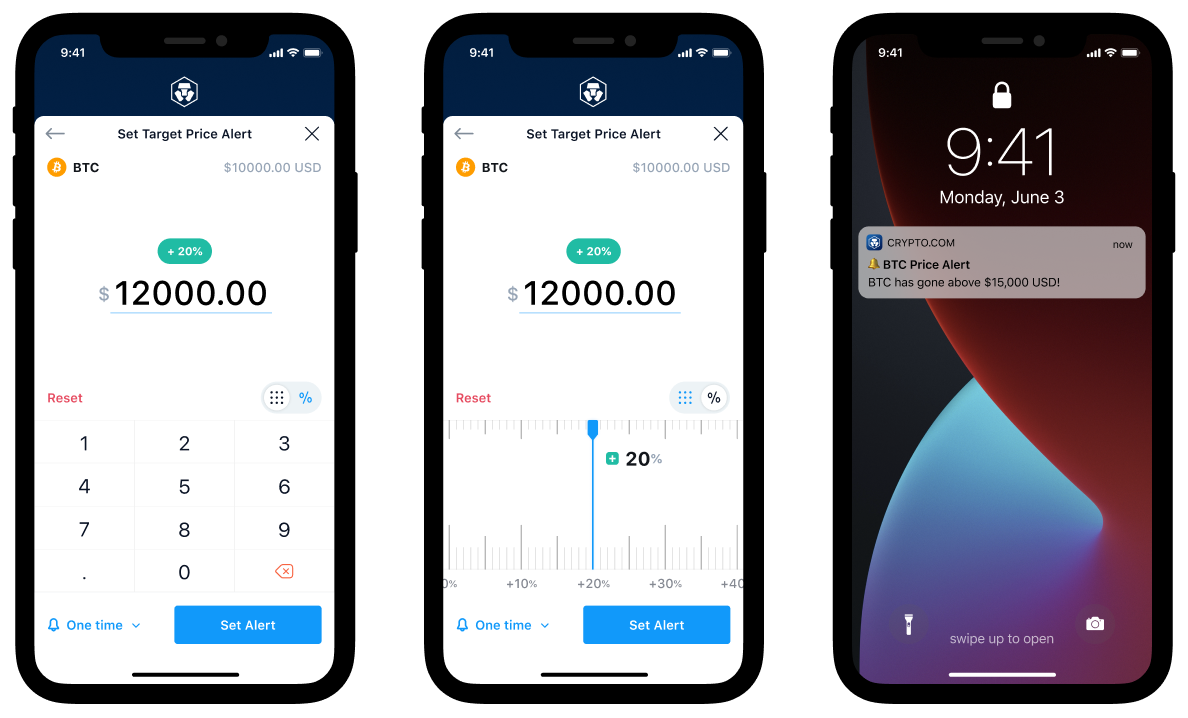
Three realizations shaped the final direction. Alerts needed a centralized place to live, not scattered across screens. Users had to quickly distinguish between a target-price alert and a percentage-movement alert. And for currencies priced in anything from five-digit Bitcoin values to six-decimal altcoins, a numpad alone wasn't enough. I explored a measuring-tape-style input to let users nudge a number up or down physically.

After narrowing to a concrete direction, I built a prototype and ran face-to-face usability tests with 6 internal non-tech colleagues. Real-user testing wasn't feasible within the timeline, but observing participants think aloud while working through the task surfaced friction points that informed a final round of polish before handoff to engineering.

The final design delivered three alert types, each tuned for a different user intent, wrapped in a shared onboarding flow and notification surface. Users could pick what matched their trading style.
First-time users were guided through what Price Alert does and why to keep notifications on, reducing the chance of turning them off before seeing the value.
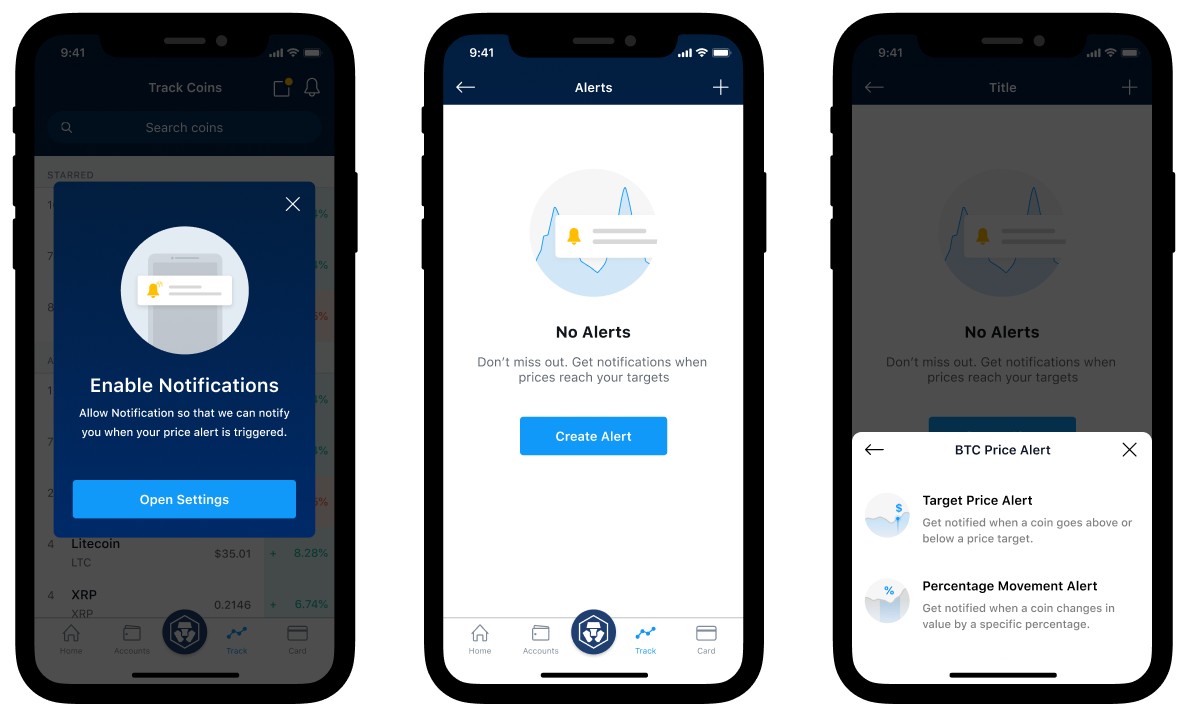
Users set an exact target price or a percentage change from the current price, then get notified the moment the market hits their number.
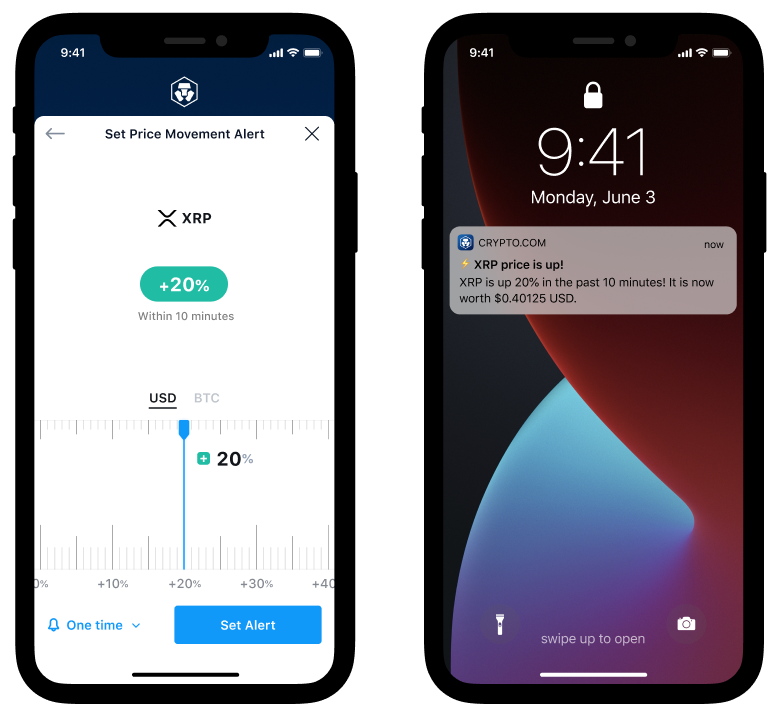
For users without a target price in mind, define how much percentage movement in a 10-minute window should trigger an alert. Stay close to the market without watching it.
Just by following a coin, users got curated alerts on significant price movements automatically. The passive option for crypto beginners and new project tracking.

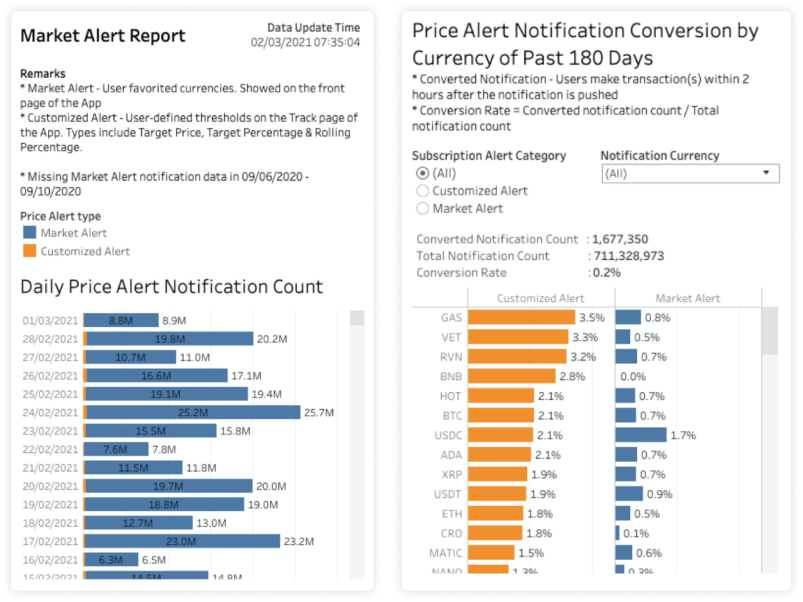
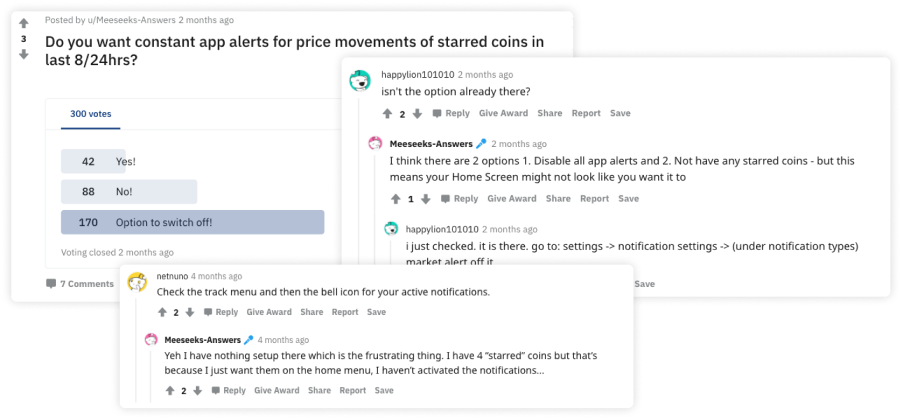
After rollout, the Crypto.com Data Team analyzed how users engaged with each alert type and how it affected trading activity. The team also monitored community channels for qualitative feedback.
Shipped in 2019, still shipping in 2026. Some decisions held up, others I'd approach differently now.


