
Tailoring UX for users spanning a wide spectrum of experience levels

In July to September 2022, a redesign of the Crypto.com DeFi Wallet onboarding streamlined the flow from 8 stages to 5. The conversion rate jumped from 29% to 59%, an unambiguous win on paper. But the simpler flow deferred wallet backup: users could now hold assets without ever seeing or backing up their recovery phrase. That trade-off raised a bigger question about what good Web3 onboarding should actually do.

Speed alone is not a useful measure of onboarding success. As the industry pushes to onboard billions into Web3, the DeFi Wallet needed to do more than compress time-to-home-screen. It needed to set users up for the complex journey ahead, not just get them to the door faster.
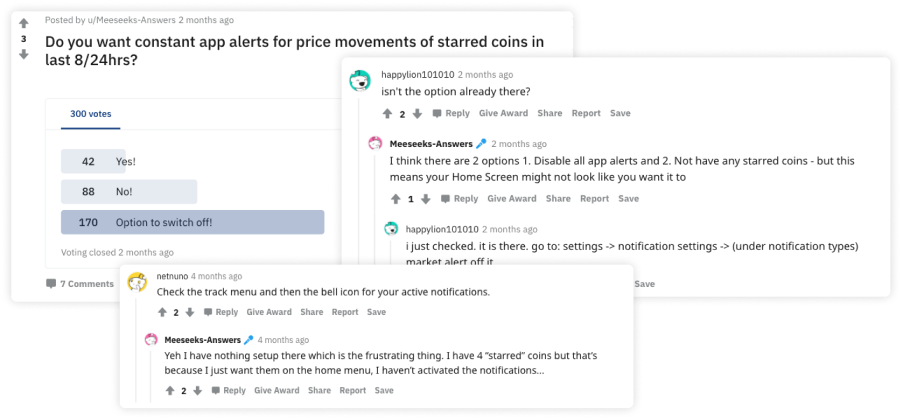
Informed by the user problem, we came up with three concepts to address it. Each approached acting in time from a different angle.
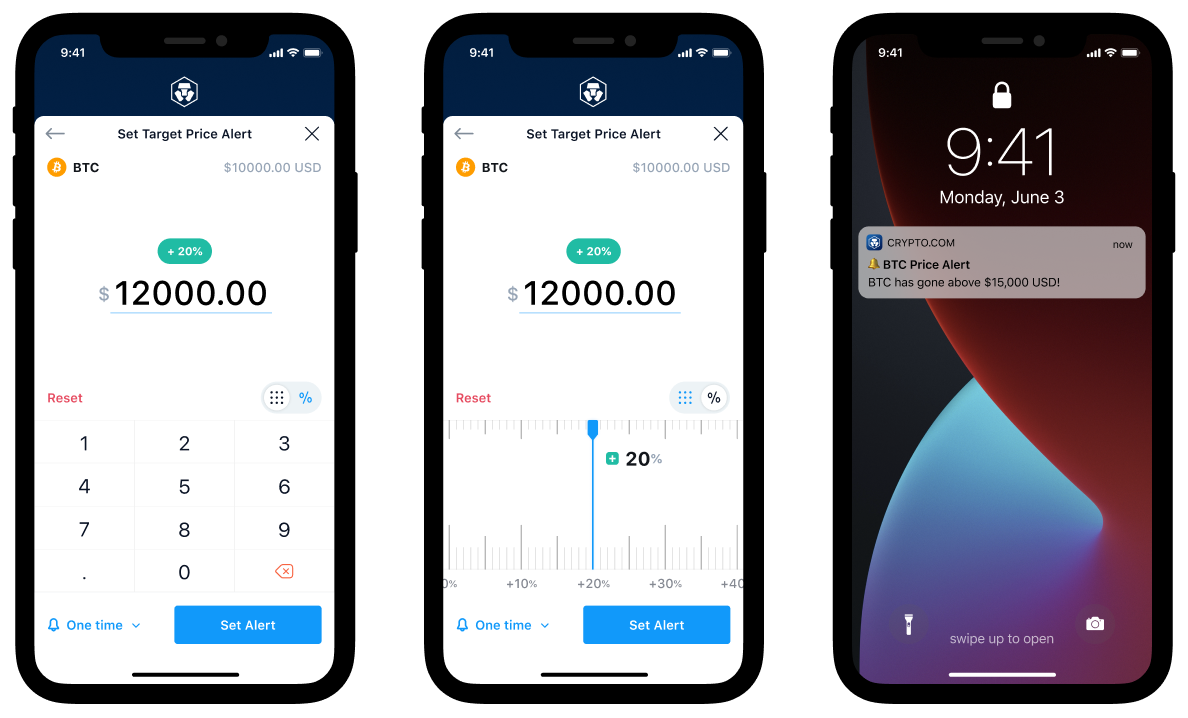
Let users set their own target price and get notified when it's reached, either as an exact price or a percentage change from the current one. Best for users with a clear trading plan.
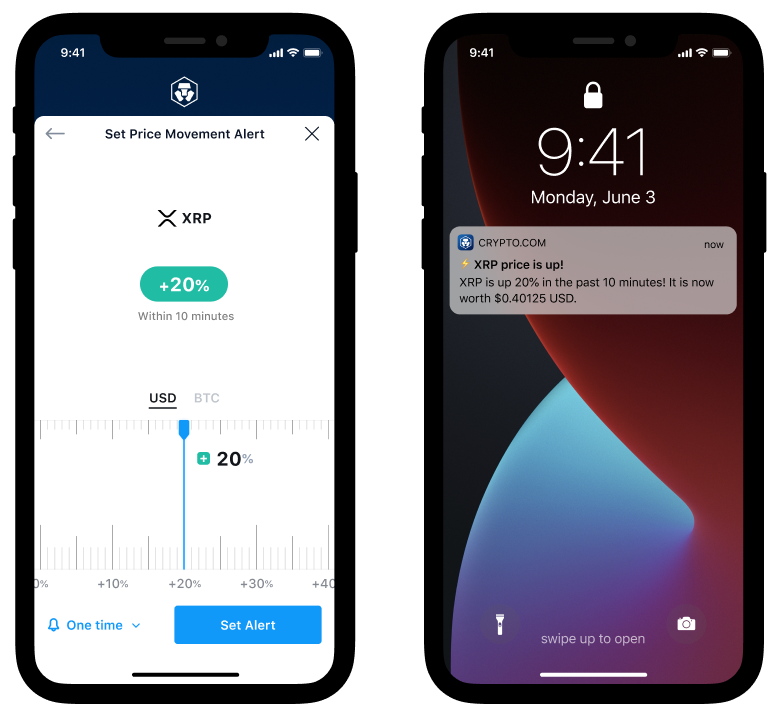
For users without a specific target, notify them when significant price movement happens over a rolling time window. A passive safety net for beginners or coins without enough history to plan around.
A central place to view all alerts received, so important signals wouldn't be lost to dismissed or disabled push notifications.

The final design delivered three alert types, each tuned for a different user intent, wrapped in a shared onboarding flow and notification surface. Users could pick what matched their trading style.
First-time users were guided through what Price Alert does and why to keep notifications on, reducing the chance of turning them off before seeing the value.
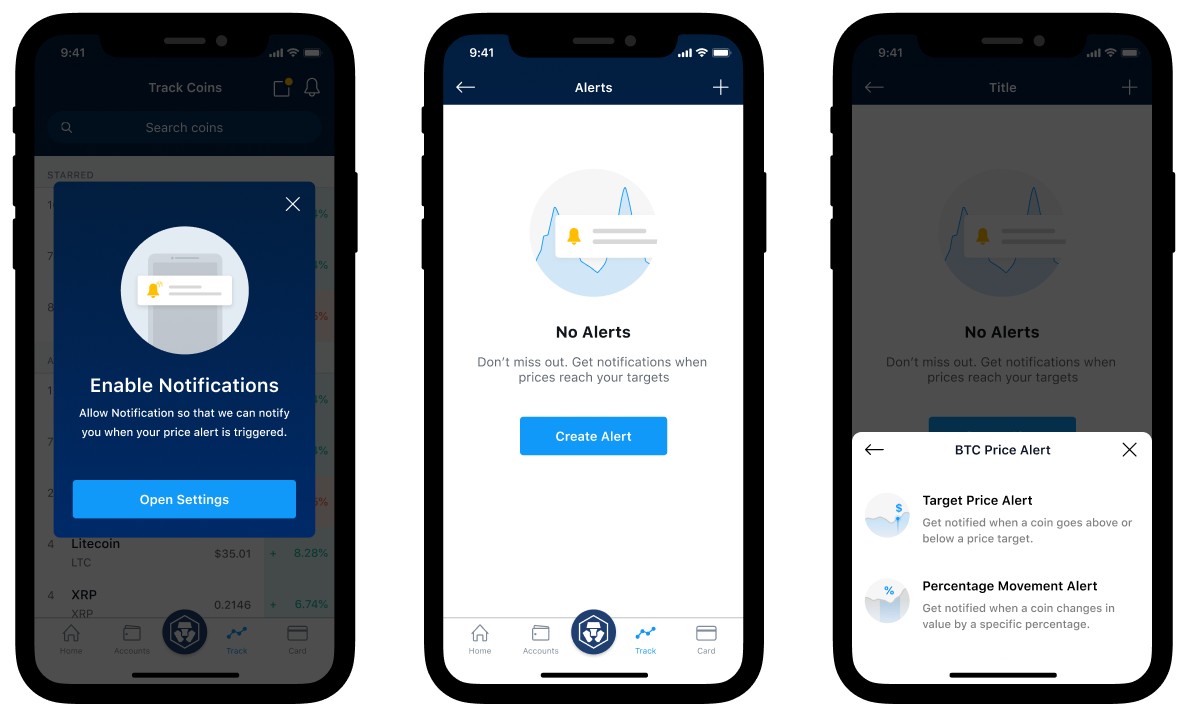
Users set an exact target price or a percentage change from the current price, then get notified the moment the market hits their number.
For users without a target price in mind, define how much percentage movement in a 10-minute window should trigger an alert. Stay close to the market without watching it.
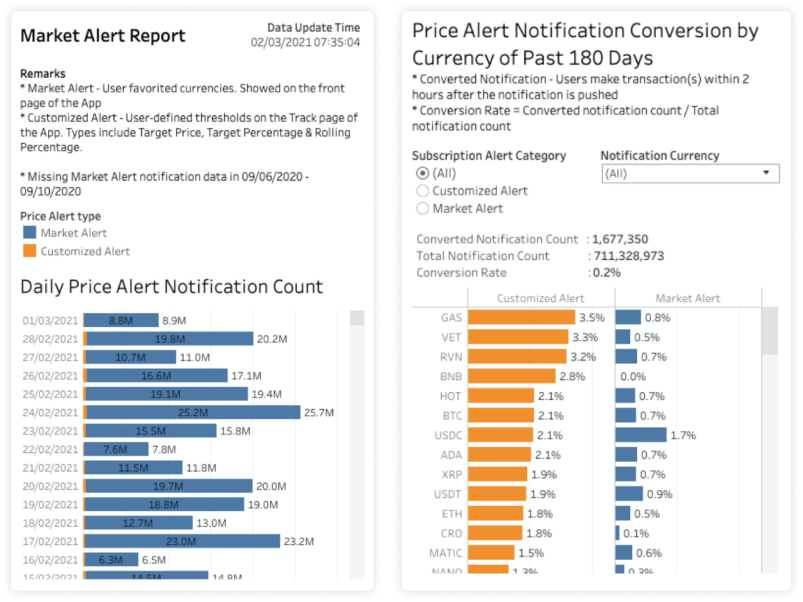
Just by following a coin, users got curated alerts on significant price movements automatically. The passive option for crypto beginners and new project tracking.

After rollout, the Crypto.com Data Team analyzed how users engaged with each alert type and how it affected trading activity. The team also monitored community channels for qualitative feedback.
Finally set a target and get pinged. No more refreshing the app.
Shipped in 2019, still shipping in 2026. Some decisions held up, others I'd approach differently now.


